7 Questions Worth Asking First
I’ve spent the last couple of years going deep on automation. I’ve built workflows that save my teams hours every week, and I’ve also built automations that never should’ve existed. Both taught me something.
What I’ve noticed — in my own work and with the agency owners I coach — is that the instinct to automate usually comes from a good place. You see a repetitive task, you feel the friction, and you want to fix it. But “I could automate this” and “I should automate this” are two very different statements.
One thing worth saying up front: when I say “automation,” your brain might go straight to AI. That’s understandable — it’s the word on everyone’s lips right now. But most of my highest-impact automations have zero AI in them. They’re just well-structured workflows that move data, trigger actions, and free people from steps where their time could be better spent. AI is a tool that’s useful when you genuinely need it — when there’s interpretation, summarization, or judgment involved that can’t be reduced to simple logic. But if your automation can run on straightforward rules and conditions, it should. The simpler the machinery, the easier it is to trust, maintain, and debug.
Over time, I’ve developed a set of questions I run through before I start building anything. Think of it as a pre-flight checklist. It won’t take long, but it might save you from building something that costs more than it’s worth — or worse, something that breaks quietly and creates problems you don’t find out about until it’s too late.
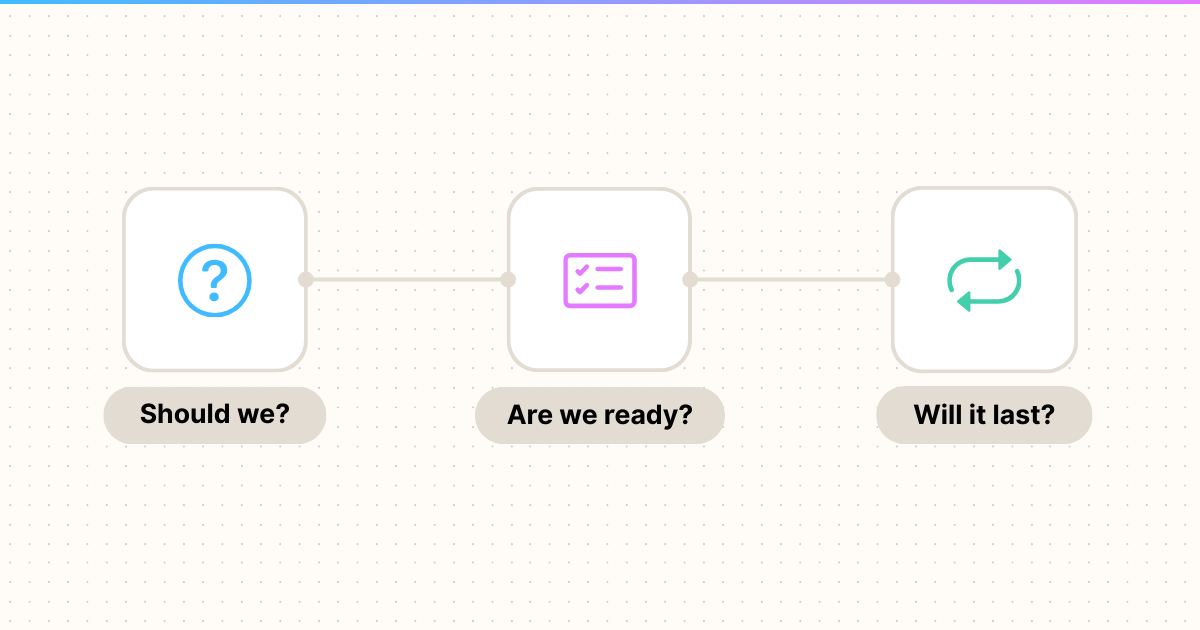
These questions fall into three phases: deciding whether to automate, assessing whether you’re ready to automate, and setting the automation up to last.
‘I could automate this’ and ‘I should automate this’ are two very different statements.
Before you open a single tool, before you sketch a single workflow, you need to answer two fundamental questions.
This is the simplest question on the list and the one most often skipped. Before you invest time making a process faster or more efficient, ask whether the process should exist at all.
I’ve seen teams automate reporting workflows that nobody was reading. I’ve seen agencies automate client onboarding steps that were leftover from a service model they no longer offered. The process was there because it had always been there, and nobody thought to question it.
There’s a related trap here too: automating something that’s about to change significantly. If you’re mid-pivot on a service offering, or you know a tool migration is coming in the next quarter, that’s probably not the time to lock things down with automation. You’ll end up rebuilding it anyway.
The gut check is simple: if this process disappeared tomorrow, would anyone notice? And if they would, is it because the process actually produces something valuable — or just because the automation stopped posting a Slack message when it finished?
This is where you do some honest math. Not complicated math — just honest math.
Estimate how much time and money the manual process costs. Factor in how frequently it happens, who’s doing it, and what their time is worth. Then compare that to the cost of building the automation (your time or a developer’s time) and maintaining it over time, because every automation has ongoing maintenance whether you plan for it or not.
But don’t stop at time savings. Some of the most valuable automations I’ve built weren’t primarily about speed — they were about consistency. When a person does a task fifty times, they’ll do it slightly differently each time. They’ll forget a step on a busy day. They’ll make judgment calls that vary based on how much coffee they’ve had. Automation removes that variability.
So the real question isn’t just “will this save time?” It’s “what’s the full cost of this process being manual — in time, in errors, in inconsistency — versus the cost of automating and maintaining it?”
Sometimes the answer is that the manual process is fine. That’s a valid outcome. Not everything needs to be automated, and a five-minute task that happens once a month probably isn’t worth a day of building.
You’ve decided the automation is worth pursuing. Now the question shifts from “should we?” to “can we do this well right now?“
This is one of the most important questions on this list and the one I had to learn the hard way.
Early on, I’d get excited about a process and jump straight into building the automation. The problem was that the process itself wasn’t fully baked. We were still figuring out edge cases, still adjusting how we handled exceptions, still discovering steps we hadn’t accounted for.
When you automate an immature process, you’re not just encoding the process — you’re encoding all of its gaps. And then when you inevitably need to change it, you’re changing code instead of just changing a habit.
Here’s a simple litmus test: can you write out every step of the process, including the exceptions and edge cases, without guessing? If you find yourself saying “well, it depends” or “sometimes we do it this way,” the process isn’t ready. Keep doing it manually, keep refining, and automate once it’s stable.
For example, at Focus Lab we’re in the middle of trialing new agency management software. I already know we’d benefit from automating the routine steps that happen when a client moves from our sales pipeline to active status — there’s a clear sequence of tasks that kicks off every time. But if we commit to the new software, where those steps happen could change drastically. The triggers, the tools, the order — all of it could shift. So rather than build an automation against our current tool set and rebuild it in three months, we’re holding off. We’re letting the process settle into its new home first. That’s not procrastination. That’s patience.
Not every step in a process should be automated, even when the process as a whole is a good candidate for automation. The key is identifying where judgment matters versus where the work is purely mechanical.
Mechanical steps are easy to spot: moving data from one place to another, formatting a report, sending a notification when a condition is met. These are automation gold.
But some steps involve decisions that require context, nuance, or relationship awareness. A workflow that drafts a client email might be great, but you probably want a person reviewing that email before it goes out. An automation that flags overdue invoices is smart, but the decision about how to follow up with a specific client might require someone who knows the relationship.
The goal isn’t to remove people from the process entirely. It’s to free people from the mechanical parts so they can spend their time on the parts where their judgment, creativity, and relationships actually matter. Think of it as building assisted automation, not full automation. You can always expand the automation’s scope later as you build confidence in it.
This isn’t always a separate decision, but it’s a principle worth naming explicitly. You don’t have to automate the whole process at once.
I almost always start by automating the most painful or error-prone piece of a process first. Get that working. Let it run. Build trust in it. Then expand.
This approach does two things. First, it gets you value faster — you’re not waiting for a massive build to be complete before you see any benefit. Second, it reduces risk. If your first small automation breaks, the blast radius is contained. If you automated the entire process end-to-end and something goes wrong, good luck figuring out where.
At Focus Lab, our biggest automation right now handles moving Zoom recording files into Google Drive for archival purposes. Today it has dozens of steps, branching logic, and covers a wide range of scenarios. But it didn’t start that way. The first version was four or five steps — it just moved all meeting files to a single destination in Google Drive. It was almost a proof of concept. But even at that small stage, it was valuable enough to become a production automation. From there, I iterated on it four or five times, each pass automating more of what we’d been doing manually. The final version looks nothing like the first, but every version along the way was useful.
The simpler the machinery, the easier it is to trust, maintain, and debug.
An automation that works on day one but breaks on day thirty isn’t an automation. It’s a time bomb. This phase is about making sure what you build continues to earn its keep.
This question is about accountability, not technical skill.
The owner of an automation is the person who has the responsibility and authority to decide whether the automation continues to be valuable and correct. This is not necessarily the person who maintains the technical side of things. It might be a team lead, an ops manager, or a department head. The point is that someone specific is accountable.
Without clear ownership, automations drift. The business changes but the automation doesn’t. New edge cases emerge and nobody addresses them. Or worse, the automation starts producing wrong outputs and nobody notices because everyone assumed someone else was watching.
I treat automation ownership the same way I’d treat ownership of any other business process. Someone needs to be named. That person needs to understand what the automation does, what it’s supposed to produce, and when to raise a flag that something might be off.
This is the question that separates good automations from dangerous ones.
Most automations don’t fail loudly. They fail quietly. An API changes and the data stops flowing but nothing errors out — you just get incomplete results. A field format shifts and the automation still runs but produces garbage. A step silently skips because a condition that used to be true no longer is.
Every automation you build should have some way of telling you when something goes wrong. That might be error notifications, output validation, or even just a simple check that runs periodically to confirm things are still working as expected.
Think about it this way: if this automation broke tonight, how long would it take you to find out? If the answer is “weeks” or “whenever someone complains,” you need monitoring. I’ve learned this one the hard way more than once, and it’s why I now treat monitoring as a non-negotiable part of any automation I build.
Automations accumulate. Every one you build is something you now maintain, monitor, and occasionally explain to someone new on the team. Over time, they add up.
I’d encourage you to apply the same rigor to keeping automations as you do to building them. Set a review cadence — even annually — and ask the same first question you started with: does the business still need this?
Processes change. Tools change. Teams change. The automation that saved you ten hours a week last year might be solving a problem that no longer exists. Retiring an automation that’s no longer useful isn’t failure. It’s good housekeeping.
If you take nothing else away from this, here’s the condensed checklist:
Should we?
Are we ready?
Will it last?
Automation is powerful. It’s also seductive. The best automations are the ones built with patience — where you waited until the process was ready, started with the piece that mattered most, and set it up so someone would notice if it stopped working.
That’s not as exciting as building something in a weekend and watching it run. But it’s a lot more useful — and dependable — six months later.
Published on March 10, 2026
© 2026 Built on Purpose, LLC unless otherwise noted.
Some of the links on my site are "affiliate links." This means if you click on the link and purchase the item, I will receive an affiliate commission.
